How to use Monoli
From signing up to publishing, your author page, design and click stats. Follow it top to bottom and your first page is live in ten minutes — from your phone if you like.
Get started
With a Google or Apple account, signing up takes a minute.
-
Log in
Press "Start for free" and log in with Google or Apple. First-timers get an account right away. No credit card needed.
Continue with Google
Continue with Apple
-
Choose your ID
It becomes your author page URL
monoli.me/@ID, and every page URL takes the form/@ID/…. 3–20 characters: lowercase letters, digits and underscores.Your ID
monoli.me/@mia_findsIt cannot be changed once set. You can choose it later in your profile, but publishing a page requires an ID.
-
Register the site with your affiliate networks
In each network you use (Amazon Associates, Rakuten Affiliate and so on), register
monoli.meas a site where you place links. Links on an unregistered site can void your commissions or get your account suspended.Site to register
https://monoli.me/@mia_finds
Every network does it differently. Look for "Sites", "Site information", "Add a website" or similar.
Create a page
One page per product. Start from "New page" in the dashboard.
-
Name the product
One line with the product name. That alone already makes a page.
Product name
Wireless Earbuds XYZ-200
-
Add a photo, a note and tags
Upload a photo you took or prepared yourself, up to 2 MB (there is no feature to pull product images from Amazon or elsewhere). Use the note for your impressions or why you recommend it. Tags group pages on your author page.
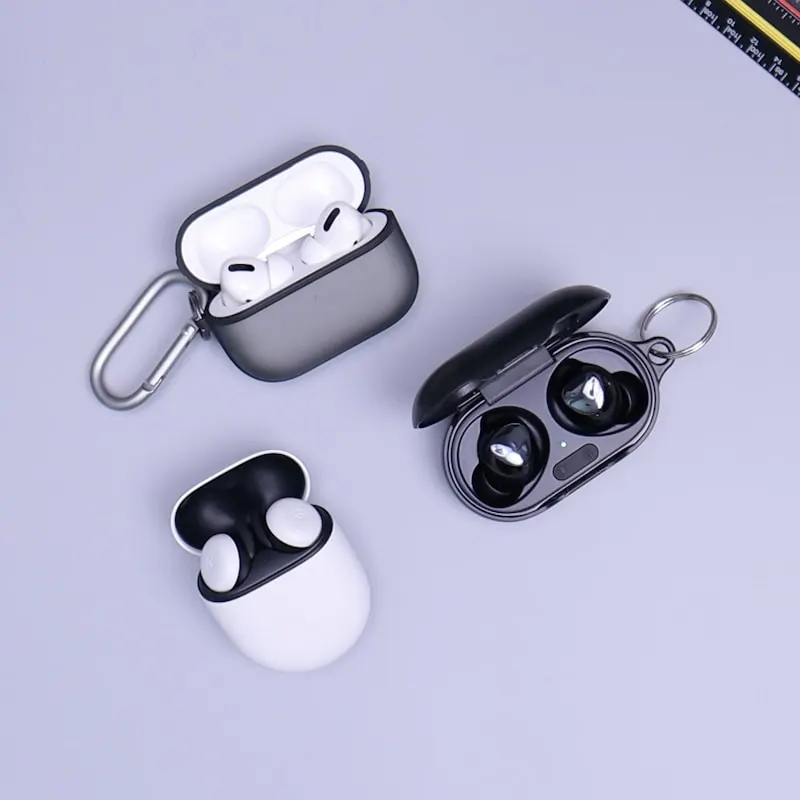 PhotoOptional · up to 2 MB
NoteMy favorite commute purchaseTagGadgetsWhat you type shows up immediately in the preview beside (or below, on a phone) the form, so you can check the result before saving.
Add links
Paste the affiliate links from each network, as they are. Up to 8 per product.
-
Paste a URL
Product page URLs (short ones like
amzn.asiaincluded) are matched to their store automatically. You can also paste several URLs at once, one per line.Amazon
https://amzn.asia/d/…eBay
https://www.ebay.com/itm/…Rakuten
https://hb.afl.rakuten.co.jp/… -
For network links, choose the destination
Redirect links from networks such as A8.net, Moshimo or ValueCommerce don't reveal their destination in the URL. After pasting, a popup asks which site the link goes to. For unsupported sites choose "Other" and give the button a name.
A8.net
https://px.a8.net/svt/ejp?a8mat=…Which site is this link for?
Jalan▼
Shopping: Amazon, Rakuten, Yahoo! Shopping, eBay, Qoo10, ZOZOTOWN. Travel & experiences: Rakuten Travel, Jalan, Ikyu.com, Booking.com, Klook.
-
Set the button label and color
In the same popup, choose the button text (e.g. "Best price on Amazon") and its color (the store's brand color, black, white or your page accent). You can reopen it later from "Edit" on the row.
Button label
Best price on Amazon
Button color
Store colorBlackWhiteAccent
Monoli never rewrites links or inserts a redirect. Only the destination domain is checked, so register domains outside the supported stores and major networks as "Other". URLs from shorteners such as bit.ly cannot be registered as store links.
Publish and share the URL
Press "Publish" and you get a URL. That URL is all you paste.
-
Publish
Check the content and press "Publish". With unsaved changes it becomes "Save and publish". Published pages are marked "Live".
Publish
Your URL
https://monoli.me/@mia_finds/k7f3q2xw
-
Share on social media or your blog
"Copy URL" and paste it into posts, your bio or a video description. On a phone, "Share" hands it straight to your social apps. On X or LINE it shows as a card with your photo.
Mia @mia_finds
Curious? Start here https://monoli.me/@mia_finds/k7f3q2xw
Copy URLWireless Earbuds XYZ-200monoli.me -
Edit later
Swapping links or changing the photo and note works while the page is live. The URL stays the same and changes go live within about a minute of saving. "Unpublish" turns it back into a draft; deleting removes the page, photos and click stats together.
Saved and live
Unpublish
Author page
monoli.me/@ID lists your published pages automatically. It is the one link for your social bio.
Profile
Photo, name, bio and up to 8 social or website links. Paste a social URL and the icon appears. Set it up under "Profile" in the dashboard.
Blocks
Below the profile you can arrange link buttons, image banners, headings, text and dividers in any order, and place the product list where you like. Link buttons: 3 on Free, 5 on Pro.
Layout and order
Six layouts: List / Grid / Bento / Photo grid / Horizontal scroll / Ranking. Reorder pages with ↑↓ in the page list — that also sets ranking positions. New pages go to the top.
Sections by tag
Tag a page and the author page groups pages with the same tag under a heading. Untagged pages come last under "Other".
Anyone with the URL or a social link can open it. To have your author page appear in Google and other search results, turn on "Search engines" on the Pro plan (indexing takes the search engine some days; product pages are never indexed).
Design
Author page and product pages share one design. Change it under "Profile" → "Design" — free on every plan.
-
Pick a template
93 templates, grouped by style. One tap changes colors, background, pattern, font and photo frame together. Your layout and disclosure position stay as they are.
Pick a templateCustomize in detail
Minimal9
Cute18
Stylish11
-
Customize in detail
Switch to "Customize in detail" to change palette, accent, background (solid, gradient or image), pattern, card look, text color, font, photo shape and frame, and social link style one by one. You can also tweak after picking a template.
Pick a templateCustomize in detail
Palette
BasicDarkMono
Font
Sans▼
Every published page shows "This page contains affiliate links." (Top of the card / Top of the page / Above the buttons / list / Below the profile / Bottom of the card). To comply with advertising rules the wording cannot be changed or removed. Pages with Amazon or eBay links also get the statement each program requires, automatically.
Click stats
Which store button was pressed, and when. Shown at the bottom of the page editor.
-
Per store, per day
Choose 7, 30 or 90 days. You get a daily bar chart and totals per store (data older than 90 days is not kept).
7d30d90d
Total128
Amazon 71 / eBay 42 / Rakuten 15
-
Readers are not tracked
We only count "which store button on which page was pressed". No IP addresses or browser details are stored, and no cookies identify readers. Repeat clicks by the same person are counted as clicks.
Check conversions (purchases) in your network's dashboard. Monoli counts up to the click.
Troubleshooting
I see "This domain is not allowed for this store"
The store you chose doesn't match the URL's domain. Pick the store again, or for an unsupported site choose "Other" and name the button. Shorteners such as bit.ly, IP addresses and localhost URLs cannot be registered.
The "Publish" button is disabled
Page URLs take the form /@ID/…, so you need to set your ID in the profile first. Once it is set, you can publish right away.
I edited the page but the live page hasn't changed
Changes take about a minute to go live. If it still hasn't changed, reload the browser. Cards on social media (image and title) are cached by the platform and may take a while to update.
My network isn't crediting conversions
Make sure monoli.me is registered as a site with the network. Monoli never rewrites links, so conversions are credited exactly as the network's link dictates. Approval rules and cut-off dates differ per network.
I can only create 5 pages
That is the Free plan limit. Pro raises it to 200 pages. Switch under "Settings" in your account; cancel any time.
I want more than one product on a page
That is a Pro feature: up to 3 products per page, each with its own photo, links and note (for comparisons and "use together" sets). If Pro lapses, only the first 1 stay visible.
I want to change my ID
IDs cannot be changed once set, because every URL you shared contains it. If you really must, delete your account and start over (all pages, images and click stats are lost).
My photo won't upload
Images up to 2 MB in JPEG, PNG, WebP and similar formats. Shrink large photos first, e.g. with "Reduce size" on your phone. Profile photos and cover images are cropped before upload, so the original can be large.
I want to delete my account
At the bottom of "Settings" in your account. Pages, images and click stats are deleted immediately and cannot be restored. Cancel the Pro plan first.
Now, make your first page.
You can always come back here. "Guide" is in the top-right corner of the dashboard.
HomeTerms of ServicePrivacy PolicyLegal notice (Japanese)© Monoli — Monolith × Link
Start for freeGo to dashboard